
How Much Does Adobe Portfolio Cost? A 2026 Pricing Breakdown
Adobe Portfolio is free with any paid Creative Cloud plan. The cheapest way in is $11.99/mo. Here's a full 2026 pricing breakdown for designers.
The honest answer to "how much does Adobe Portfolio cost" is that it doesn't really have a price. It's not sold on its own. It's bundled into every paid Adobe Creative Cloud subscription, from the $11.99/month Lightroom plan all the way up to the $69.99/month Creative Cloud Pro plan.
So the real question isn't "how much is Adobe Portfolio." It's "what's the cheapest Creative Cloud plan that gets me in the door?" And the answer to that has changed meaningfully in the last year, especially if you're in North America.
This article is a clean-eyed breakdown of what Adobe Portfolio actually costs in 2026, which Creative Cloud plan makes sense if you're mostly after the portfolio builder, and when the whole thing stops being worth it.
Is Adobe Portfolio Free?
Adobe Portfolio is free in the sense that it doesn't have its own price tag. It's free to any paying Creative Cloud subscriber, and there is no standalone Adobe Portfolio subscription you can buy separately (Adobe).
That's an important distinction. If you're already paying for Photoshop, Lightroom, Illustrator, or any other Creative Cloud app, Adobe Portfolio is included. You don't activate anything. You don't upgrade. It's sitting in your account waiting for you at myportfolio.com.
If you aren't a Creative Cloud subscriber and have no intention of becoming one, Adobe Portfolio is not a tool you can access. In that case, free alternatives like Framer's free tier or Cargo's trial tier will serve you better than paying for a Creative Cloud plan just to unlock Portfolio.
For the large majority of working designers already inside the Adobe ecosystem though, the real cost of Adobe Portfolio is zero additional dollars.
How Much Does Adobe Portfolio Cost in 2026?
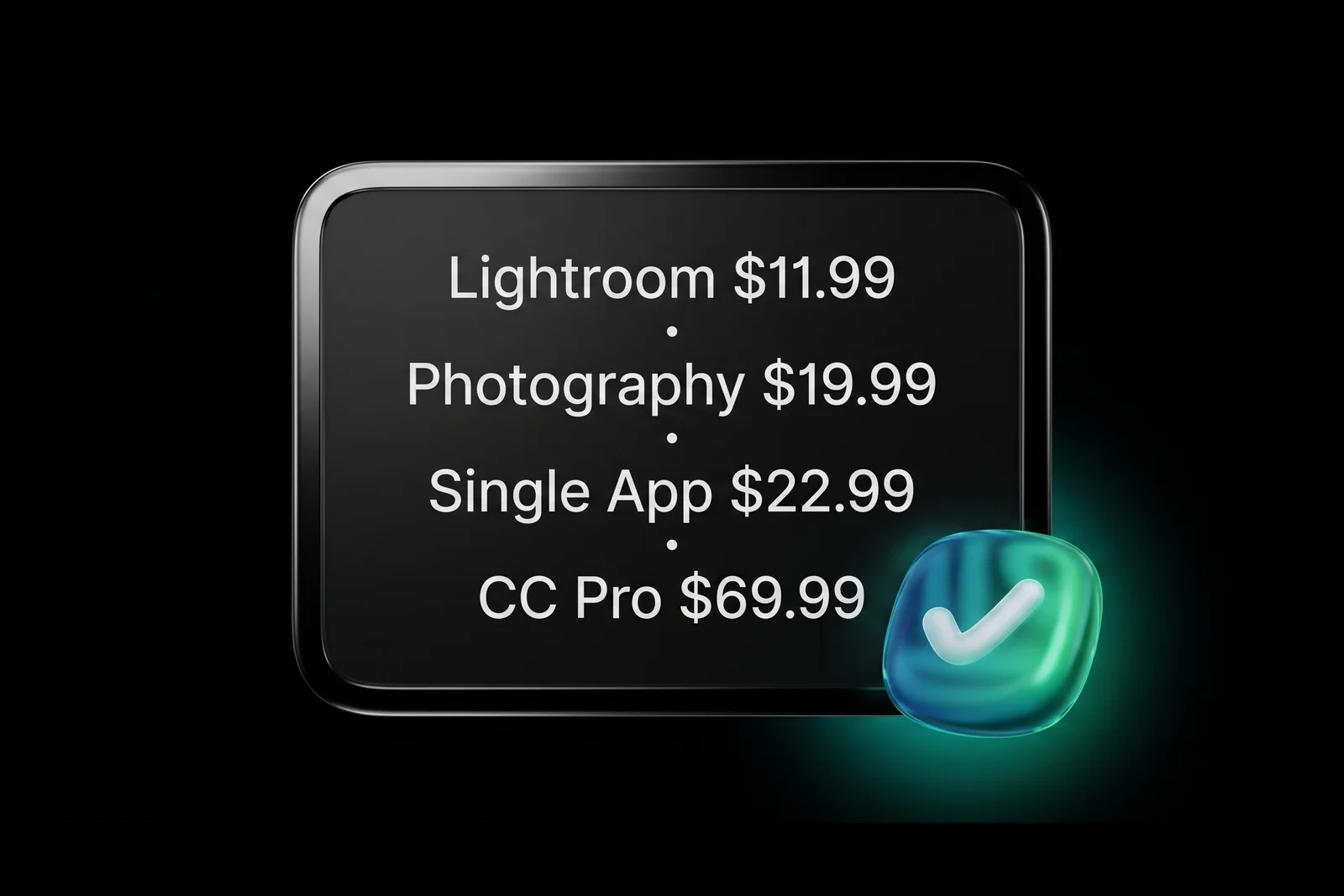
Adobe Portfolio itself costs $0. The Creative Cloud plan that unlocks it ranges from $11.99 to $69.99 per month in the US depending on which apps you need (Adobe Photography Plan, Adobe Creative Cloud plans). Here's the current 2026 pricing landscape for US subscribers.
| Creative Cloud Plan | Monthly Price | Includes Adobe Portfolio? | | --------------------------------------------- | ----------------- | ----------------------------- | | Lightroom (1TB) | $11.99 | Yes | | Photography Plan (Lightroom + Photoshop, 1TB) | $19.99 | Yes | | Single App (Photoshop, Illustrator, etc.) | $22.99 | Yes | | Creative Cloud Standard | $54.99 | Yes | | Creative Cloud Pro (All Apps replacement) | $69.99 | Yes | | Creative Cloud Pro Student (first year) | $19.99 | Yes |
A few notes that matter. In North America, Adobe stopped selling new "All Apps" subscriptions on June 17, 2025 (CG Channel). The default full-suite plan is now Creative Cloud Pro at $69.99/month, which bundles in extra generative AI credits. The older $59.99 All Apps price tier is no longer available to new US, Canadian, or Mexican customers.
The Photography Plan with 20GB of storage, which used to be the $9.99/month sweet spot, is also no longer sold to new subscribers. New Photography customers now pay $19.99/month for the 1TB version (Adobe Blog).
Every one of the plans above includes Adobe Portfolio at no additional cost.
Which Creative Cloud Plan Is Cheapest If You Mostly Want Adobe Portfolio?
The cheapest way to access Adobe Portfolio in 2026 is the Lightroom plan at $11.99 per month. That's a single-app plan, and every single-app subscription includes Adobe Portfolio (Adobe). At $143.88 a year, it's the lowest-cost path into the platform.

I need to be honest about what this actually is though. You're signing up for a Lightroom subscription and getting Adobe Portfolio as a side benefit. If you don't use Lightroom at all, you're paying $144/year for a portfolio website you could build on Carrd ($19/year) or Cargo ($13/month for Pro, free trial tier available) instead.
The math only works in your favor if at least one of these is true:
- You already want Lightroom or another Creative Cloud app for real work
- You're weighing a standalone portfolio platform like Squarespace ($16/month) or Format ($12-25/month) against the Creative Cloud route and the CC plan gives you the design software on top
For working graphic designers who already need Photoshop, Illustrator, or InDesign, Adobe Portfolio isn't a reason to pick a plan. It's a bonus on a plan you'd buy anyway. That's the honest framing.
If you're a student, the Creative Cloud Pro student plan at $19.99/month for your first year (Adobe Creative Cloud for Students) is the most value-packed option. You get the full suite of apps, the full portfolio builder, and the student discount all in one. That's the plan I'd point most design students to.
Are There Any Hidden Costs Inside Adobe Portfolio?
There is one real cost to be aware of beyond your Creative Cloud subscription, and that's a custom domain. Adobe Portfolio doesn't sell domains directly, so if you want the portfolio to live at yourname.com instead of the free yourname.myportfolio.com URL, you'll buy a domain separately through a registrar like Namecheap or Google Domains.

Typical costs:
.comdomain: $10 to $15 per year on most registrars.designdomain: $40 to $60 per year.studio,.me,.work: $20 to $40 per year- SSL certificate: Free and included automatically with Adobe Portfolio
Beyond the domain, there are no hidden fees inside Adobe Portfolio itself. No premium themes you need to unlock. No platform transaction fees because there's no e-commerce. No cap on pages or projects for any plan tier. No extra fees for Behance sync, password protection, or custom CSS injection.
If you compare that to Squarespace, where premium themes and a domain are folded into tiered plans, Adobe Portfolio's pricing is about as transparent as website builders get. What you see is what you pay. The only real line item beyond your CC plan is the domain, and that's standard for any website regardless of platform.
Is Adobe Portfolio Worth the Creative Cloud Price?
For designers already paying for Creative Cloud, Adobe Portfolio is worth it by definition. Your cost to use it is zero additional dollars. The value math doesn't even start until you're weighing the Creative Cloud subscription itself against alternatives (Adobe FAQ).

Here's how I think about it by designer type, based on conversations with hundreds of designers through this blog and TikTok.
Design students paying $19.99/month for Creative Cloud Pro. This is close to a no-brainer. You're getting all 20+ Adobe apps plus a professional portfolio builder for the cost of what a single Squarespace Personal plan alone would run you ($16/month). Adobe Portfolio is pure upside in this scenario.
Working graphic designers and art directors paying $69.99/month for CC Pro. The portfolio builder isn't the reason you're paying for CC, but it makes the plan feel meaningfully more useful than it would otherwise. If your portfolio is otherwise on Squarespace or Format, you could save $12 to $25/month by moving it to Adobe Portfolio since it's already included. That's real money over a year. If you want to see what a great Adobe Portfolio site actually looks like in the wild, here are 11 examples from working designers.
Photographers on the $19.99 Photography Plan. Adobe Portfolio plus Lightroom plus Photoshop for $20/month is a tight, focused offering. You're getting your editing suite and your client-facing website in one subscription. For portrait, wedding, and commercial photographers, this is among the best value in the market.
Designers who aren't paying for CC and don't want to. Adobe Portfolio isn't worth subscribing to Creative Cloud for on its own. Framer, Cargo, or Carrd will serve you better at a fraction of the cost. Don't pay $144/year for the cheapest CC plan just to access Portfolio if you won't touch the design apps.

How Does Adobe Portfolio Pricing Compare to Squarespace, Wix, and Framer?
Adobe Portfolio is the only option in this comparison that costs $0 on its own. Every alternative requires a standalone paid subscription, and those range from $5 to $23 per month in 2026. Here's how the portfolio-specific options stack up.
| Platform | Starting Price (Monthly, Annual Billing) | What You Get | | -------------------- | -------------------------------------------- | --------------------------------------------------- | | Adobe Portfolio | $0 additional (with any CC plan) | Custom domain, unlimited pages, Behance sync, HTTPS | | Framer | $5 (Mini) / $15 (Basic) | One site on Mini, full feature set on Basic | | Cargo | $13 (Pro) | Unlimited sites, custom domains, rich editor | | Squarespace Personal | $16 | One site, unlimited pages, template library | | Wix Light | $17 | One site, 2GB storage, free domain first year | | Format | $12 to $25 | Specifically built for photographers and creatives | | Carbonmade | $12 | Purpose-built for designer portfolios |
The thing the table doesn't show is that Adobe Portfolio is narrower in scope than Squarespace or Wix. It's a portfolio builder, not a general website platform. There's no e-commerce, no blog engine, no email marketing, no forms more complex than a contact form. If your needs extend past "clean portfolio to show my work," Squarespace or Framer will serve you better even at their paid price points.
But if portfolio is the job to be done, and you're already paying for any Creative Cloud app, Adobe Portfolio is the lowest-cost and lowest-friction option on the market. That's the reason it's worth taking seriously for graphic designers.
For a full feature-by-feature comparison, the Adobe Portfolio review goes deeper on what the platform does and doesn't do well.
Who Should Skip Adobe Portfolio Based on Cost?
There are three groups of designers I'd actively steer away from the Adobe Portfolio route purely on cost grounds.
The first is designers who don't use any Creative Cloud app regularly. If you're a Figma-native product designer who touches Photoshop twice a year, paying $22.99/month for the Single App plan just to access Adobe Portfolio is bad economics. Framer (which designers in the Figma ecosystem already know) starts at $5/month and gives you a vastly more flexible platform.
The second is designers running e-commerce. Adobe Portfolio has no store functionality at all. If you sell prints, downloadable templates, merch, or digital products, you need Squarespace, Shopify, or Gumroad. Routing people to a separate store eats conversion rates and looks unpolished.
The third is designers who need a blog. Adobe Portfolio doesn't have a blog engine. You can build a fake one using project pages, but it's clunky and doesn't support RSS, categories, or author systems. If content marketing is part of your strategy, pick a platform with a real CMS.
If you're still not sure the platform fits your work at all, this deeper breakdown of whether Adobe Portfolio is the right tool for you walks through the decision beyond pricing.
Everyone else who already pays for Creative Cloud should at least try Adobe Portfolio before spending money elsewhere. The barrier to setup is about two hours of your time, and the worst case is you decide it doesn't fit and move to Squarespace anyway. You haven't spent a single extra dollar to find out.
Frequently Asked Questions
Is Adobe Portfolio really free?
Adobe Portfolio has no standalone price. It's included free with every paid Adobe Creative Cloud subscription, from the $11.99/month Lightroom plan to the $69.99/month Creative Cloud Pro plan (Adobe). There is no separate Adobe Portfolio subscription. You can't buy it on its own, and you can't use it without an active Creative Cloud plan.
What's the cheapest way to get Adobe Portfolio?
The cheapest way to access Adobe Portfolio in 2026 is the Lightroom single-app plan at $11.99 per month ($143.88/year). Every Creative Cloud single-app subscription includes Adobe Portfolio, and Lightroom is currently the lowest-priced option. If you don't need Lightroom at all, you're better off with a dedicated portfolio platform like Framer ($5/month).
Does the Adobe Photography Plan include Adobe Portfolio?
Yes. The Adobe Photography Plan at $19.99/month includes Photoshop, Lightroom, 1TB of cloud storage, and full access to Adobe Portfolio (Adobe Photography Plan). For photographers, this plan is one of the best-value options in the Adobe ecosystem because it bundles the editing suite, cloud storage, and a professional portfolio website in one subscription.
Do I need to pay extra for a custom domain on Adobe Portfolio?
You'll pay a domain registrar separately, usually $10 to $15 per year for a .com domain through a service like Namecheap or Google Domains. Adobe Portfolio itself doesn't charge anything extra to connect a custom domain. The SSL certificate is included automatically. Beyond the domain itself, there are no additional Portfolio-specific fees.
Did Adobe end the All Apps plan?
Yes, in North America. Adobe stopped selling new All Apps subscriptions in the US, Canada, and Mexico on June 17, 2025 (CG Channel). The default full-suite offering is now Creative Cloud Pro at $69.99/month, which includes additional generative AI features. Existing All Apps subscribers were automatically migrated to Pro. Adobe Portfolio access is unchanged and still included in every plan.
The Bottom Line on Adobe Portfolio Pricing
Adobe Portfolio's real cost in 2026 comes down to one question. Are you already paying for Creative Cloud? If yes, the portfolio builder is included at zero additional cost and it's among the fastest paths from no-portfolio to live-portfolio that exists. If no, it doesn't make financial sense to subscribe to Creative Cloud solely for Portfolio access. Framer or Cargo will serve you better and cheaper.
The cheapest on-ramp is $11.99/month for the Lightroom plan, the most popular is $19.99/month for the Photography plan, and the full-suite option is $69.99/month for Creative Cloud Pro. Every one of them includes Adobe Portfolio.
If you're a designer already inside the Adobe ecosystem and your portfolio isn't live yet, you're leaving money and opportunities on the table. The tool you already pay for is waiting in your account.
For a step-by-step walkthrough of setting it up, the Adobe Portfolio mini course covers theme selection, project structure, and launch in one structured guide. For the honest rundown on what the platform does and doesn't do well, the Adobe Portfolio review goes deeper than this pricing breakdown.

Jon Sorrentino
Jon Sorrentino is a fractional design partner with digital product and brand experience at PepsiCo, VICE Media, and Barstool Sports. He runs a solo design studio working with Series A and B startups on product design, web design, and brand strategy. He enjoys writing about the intersection of AI and Design and the decisions that separate good design from design that performs for businesses.
Want help building this out for your site? I work with founders and small teams to get the fundamentals right, fast.
Let's talk